

If you noticed a sudden 4 GB system-update notification on your smartphone this week—or read that your brand's interface is changing names entirely—you are watching the peak wave of India's Android 17 rollout. Google released stable Android 17 to supported Pixel devices on 16 June 2026 (Google Blog), and as of 21 November 2026, almost every major brand in India has moved from closed betas into phased public updates stretching through Q1 2027. Samsung is pushing One UI 9 across flagship and mid-range Galaxy phones (Samsung India), Xiaomi is expanding HyperOS 4, Nothing is shipping Nothing OS 5.0, Vivo and iQOO have switched Indian devices onto OriginOS 7, and both OnePlus and Realme have retired their separate badges to unify onto ColorOS 17.
Treating a major operating-system upgrade like a routine monthly security patch is where Indian users lose WhatsApp histories, trip corporate work profiles, or run into mid-update storage failures. Because Android 17 (API level 37) introduces strict under-the-hood behaviour shifts—including a three-hour delay on unauthorised SMS OTP access, conservative app memory limits (MemoryLimiter), mandatory local-network permissions, and tougher banking-app screenshot locks (Android Developers)—preparing three specific settings before you download the package prevents avoidable disruptions (all rollout dates, developer specifications, and storage calculations below are current as of 21 November 2026).
1. Which Indian Phones Get Android 17 — And When Your Batch Arrives
Unlike Google's single-day Pixel release, Indian smartphone brands push Android 17 in staged firmware batches by model number and regional build. Being on an eligible list means your phone is queued for that window—not that every handset in India receives the notification on the first morning.
| Brand | Android 17 Interface | Already Rolling Out (Jun – Nov 2026) | Scheduled Next (Dec 2026 – Q1 2027) | Notable India Shift |
|---|---|---|---|---|
| Google Pixel | Stock Android 17 | Live since 16 Jun 2026: Pixel 6, 6 Pro, 6a through Pixel 10 series, Pixel Fold, Pixel Tablet | Ongoing quarterly feature drops | Pixel 5a and older excluded |
| Samsung | One UI 9 | Sep–Nov 2026: Galaxy S26, S25, S24, S23 series; Z Fold 5/6/7 & Z Flip 5/6/7; A57, A56, A55, A54, A36, A35, A15, A07 | Dec 2026 – Jan 2027: Remaining budget A/M/F models & Galaxy Tab S9–S11/A11 series | Flagships carry up to 7-year OS commitments; S21 series excluded |
| OnePlus | ColorOS 17 | 29 Oct – Nov 2026: OnePlus 15, 15R, 13, 13s, 13R, 12, Open, Nord 6, Nord CE6, Pad 3/4 | Dec 2026: 12R, 11, Nord 5, Nord CE6 Lite, Nord CE5, Pad 2. Q1 2027: Nord 4, N6, N6x, N6 Lite, Pad Lite | Retires OxygenOS branding in favour of unified ColorOS 17 |
| Xiaomi / Redmi / POCO | HyperOS 4 | Early–Mid Nov 2026 (Global): Xiaomi 17 & 15 series, 15T, Redmi Note 17 & selected Note 15, POCO F8/F7 | Dec 2026 onward: Xiaomi 14 & 13 series, Redmi Note 14 models, POCO F6/F7 series | Global HyperOS 4 calendar lags China's Oct rollout |
| Vivo & iQOO | OriginOS 7 | End Oct – Mid Nov 2026: Vivo X300 & X200 series, X Fold 5; iQOO 15, 15R, 13 (V80 & X Fold 6 ship out of box) | Dec 2026: Vivo X100, X Fold 3 Pro, V70/V60/V50 series; iQOO 12, Neo 10/10R. Jan–Feb 2027: Vivo T5/T4/V40/V30/Y400; iQOO Neo9 Pro, Z11/Z10 series | Replaces older Funtouch OS with global OriginOS 7 |
| Nothing | Nothing OS 5.0 | 12 Oct – 20 Nov 2026: Phone (3), Phone (4a)/Pro, Phone (3a)/Pro, Phone (2a)/(2a) Plus | Late Dec 2026: Phone (3a) Lite. Mid-Jan 2027: Phone (4b), CMF Phone 2 Pro | Cleanest schedule with fixed bi-weekly waves |
| Oppo & Realme | ColorOS 17 | 29 Oct – Nov 2026: Oppo Find N6/N5, X9/X8, Reno16/15; Realme GT 8 Pro, GT 7 Pro/7T, 16 series | Dec 2026 – Q1 2027: Realme Narzo 80 Lite, P4/P3 Lite, Note 80/70 series | Realme retires Realme UI 8 for unified ColorOS 17 |
| Motorola | Hello UI (Android 17) | No official calendar published yet | Expected Early 2027: Signature, Razr 70/60/50 Ultra, Edge 70/60/50 Ultra, recent Moto G models | Model-by-model Indian timetable still awaited |
Source Discrepancy to Retain: Several Indian tech blogs still list OnePlus updates under "OxygenOS 17" and quote China-only Xiaomi release dates (starting 15 October 2026). Verified Indian and global trackers published in mid-November 2026 confirm that OnePlus is transitioning eligible Indian phones to ColorOS 17 (with owners able to choose when to migrate) and that Xiaomi's global HyperOS 4 rollout began in November 2026. Always check Settings > About device for your exact regional firmware code before following any online date.
2. What Actually Changes Under the Hood in Android 17
Beyond visual features such as universal app Bubbles, simultaneous front-camera Screen Reactions, Foldable Gaming Mode (50/50 top screen and bottom gamepad), and expanded dark theme controls, Android 17 rewrites five security and system rules that directly affect Indian smartphone habits:
- Three-Hour SMS OTP Delay Shield: Android 17 withholds access to SMS one-time passcodes for up to three hours for most unauthorised third-party apps (covering WebOTP/SMS Retriever messages for all apps, and standard SMS messages for apps targeting API 37). This sharply reduces OTP-stealing malware risk on Indian banking and UPI accounts, though legitimate SMS expense-trackers may lose instant parsing until updated.
- Selective Contact Sharing & Temporary Precise Location: Instead of handing your entire address book to a delivery, fintech, or lending app, Android 17's contact picker lets you share only specific chosen contacts—and lets you grant temporary precise location strictly while an app stays open.
- Biometric-Locked "Mark as Lost" & Stricter PIN Lockouts: In Google's Find Hub, marking a missing phone as lost can now demand biometric authentication to unlock, hide Quick Settings, and block new Wi-Fi or Bluetooth toggles—stopping a thief who watched your PIN over your shoulder from putting the phone into airplane mode. Android 17 also cuts allowed failed PIN guesses and lengthens wait timers between attempts.
- App Memory Limits (MemoryLimiter) & Background Audio Hardening: Android 17 enforces conservative RAM ceilings to stop background apps from draining battery and restricts background audio APIs unless a valid foreground service (or alarm permission) is active. Older, unpatched utility or banking apps can unexpectedly close until developers update for API 37.
- Mandatory Local Network Permission & Banking FLAG_SECURE: Apps targeting API 37 must now explicitly ask before scanning devices on your home Wi-Fi. Meanwhile, Google deprecated the old content-capture opt-out (setContentCaptureEnabled(false)), pushing banking apps onto FLAG_SECURE—meaning more payment and account-balance screens will strictly block screenshots and screen recording.
3. Pre-Update Storage, Data and Rollback Maths: Why 128 GB Phones Hit a Wall
Most failed or laggy Android upgrades in India have nothing to do with bad hardware—they happen because users tap "Install" on a nearly full 128 GB phone over a daily-capped prepaid plan.
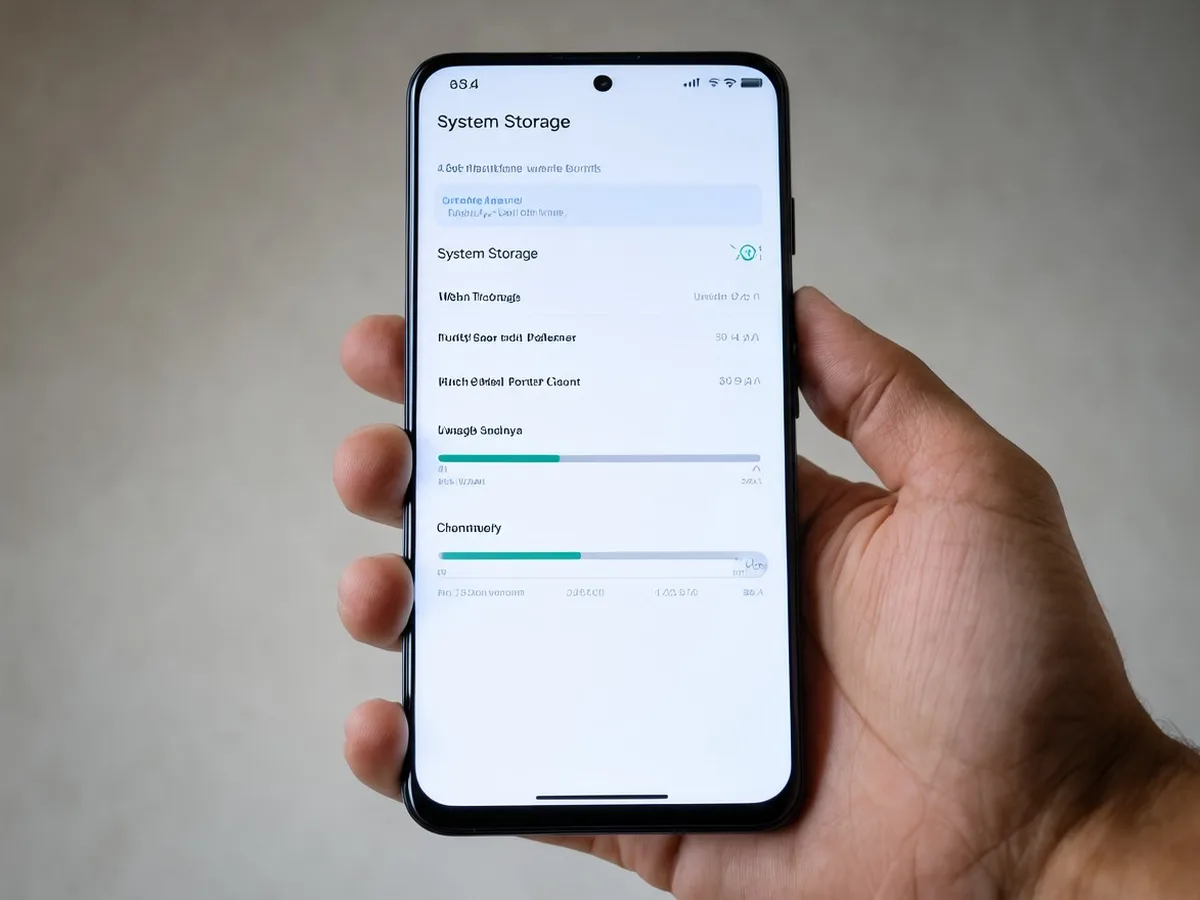
Simulation Parameters
- Device Baseline: Typical Indian 128 GB mid-range 5G phone (such as a Galaxy A35/A54, Nothing Phone (2a), or Nord CE) versus a 256 GB handset.
- Formatted Usable Capacity: Storage manufacturers sell decimal gigabytes (1 GB = 10⁹ bytes), whereas Android allocates binary gibibytes (1 GiB = 1,024³ bytes) ➔ 128 GB formats to 119.2 GB usable; 256 GB formats to 238.4 GB usable (OneMint calculation).
- Typical Indian User Load on 128 GB: System OS + Vendor partitions (22.0 GB), WhatsApp media & backups (30.0 GB), Photos/Videos (38.0 GB), and 75 installed apps + caches (20.0 GB) = 110.0 GB occupied.
- Android 17 OTA Staging Load: Compressed OTA download (4.5 GB representative for One UI 9 / ColorOS 17 / HyperOS 4) plus 2.5x–3.0x decompression, ART app recompilation, and A/B partition staging overhead (12.0 GB–13.5 GB safe free-space floor) (OneMint calculation), plus 1.5 GB of post-update Play Store app compatibility patches.
Plain-Text Formulas Used
Remaining Storage Margin = Formatted Usable Space − (OS Partition + User Data) − OTA Staging Requirement
Arithmetic Outcomes (OneMint Calculation)
| Pre-Update Resource Metric | 128 GB Indian Smartphone (Typical Load) | 256 GB Indian Smartphone (Same Load) | Practical Risk If Ignored |
|---|---|---|---|
| Formatted Usable Capacity | 119.2 GB | 238.4 GB | approx. 7% lost immediately to decimal-to-binary formatting |
| Occupied (22 GB OS + 88 GB User Data) | 110.0 GB | 110.0 GB | WhatsApp videos + photos consume 68 GB alone |
| Free Space Before Update | 9.2 GB | 128.4 GB | Below the 12–15 GB safe Android 17 staging cushion |
| Storage Gap vs 13.5 GB Safe Floor | −4.3 GB Deficit | +114.9 GB Surplus | Aborted installation, heavy thermal throttling, or post-update lag |
| Total Download (4.5 GB OTA + 1.5 GB Apps) | 6.0 GB | 6.0 GB | Burns 4 full days of a 1.5 GB/day prepaid quota (3 days of 2 GB/day) |
Variance Callout: On a standard 128 GB Indian handset carrying 88 GB of everyday WhatsApp and camera files, free space sits at just 9.2 GB—leaving a 4.3 GB deficit below the 13.5 GB staging cushion needed for a smooth 4.5 GB Android 17 migration (OneMint calculation). Clearing 6–8 GB of cached videos and duplicate WhatsApp forwards before downloading removes the single biggest cause of stalled updates.
Advertisement
Note on OnePlus / Realme Rollback Cost: Rollout advisories warn OnePlus owners moving from OxygenOS to ColorOS 17 to check official rollback instructions before upgrading, because downgrading back to OxygenOS generally erases all local device data—forcing complete re-verification of UPI SIM-binding, banking apps, and work-profile authenticators from scratch.
4. Three Settings to Change Before You Tap "Download & Install"
Before accepting the Android 17 prompt, spend ten minutes adjusting these three settings—in this exact order:
Setting 1: Turn On Full Cloud Backup, Encrypted WhatsApp Backup, and Export 2FA Codes
- Where to go: Settings > Google > Backup (tap Back up now) + WhatsApp Settings > Chats > Chat backup (confirm End-to-end encrypted backup is active and last backup shows Today) + your Authenticator app (Transfer accounts / save offline recovery codes).
- Why before updating: Major OS upgrades—and especially cross-skin migrations like OxygenOS to ColorOS 17 or Funtouch OS to OriginOS 7—cannot be reversed without a factory wipe. If a corporate VPN, banking token, or authenticator fails post-upgrade and you must roll back, an up-to-the-minute cloud backup and exported 2FA seed keys are the only way to avoid losing access to work and financial accounts.
Setting 2: Disable "Auto-Download Over Mobile Data" and "Auto-Install Overnight"
- Where to go: Settings > Software update (or System update) ➔ toggle OFF Auto download over mobile data and Auto install overnight (on Pixel/stock Android, also check Settings > System > Developer options > Automatic system updates if enabled).
- Why before updating: Turning off silent auto-install achieves two things at once. First, it prevents a 4.5 GB OTA package from wiping out three to four days of prepaid mobile data unexpectedly (OneMint calculation). Second, it lets you wait 7 to 10 days after your model's first Indian wave hits so early adopters—and your employer's IT desk if you use a Work Profile—catch any initial banking-app crashes, battery-drain bugs, or MemoryLimiter glitches before your primary phone upgrades.
Setting 3: Pre-Register Biometrics, Verified Recovery Phone Number, and Find Hub Anti-Theft
- Where to go: Settings > Security & privacy > Device unlock (confirm fingerprint/face unlock works reliably) + Settings > Google > All services > Theft protection (verify Theft Detection Lock, Remote Lock with your active Indian mobile number, and Find Hub).
- Why before updating: Android 17's toughest anti-theft upgrades—including biometric-gated "Mark as lost" and Remote Lock—do not protect you automatically unless biometrics, a verified phone number, and an active Google Account are already configured. Checking your Google Account recovery phone number and writing down your lock-screen PIN before upgrading is equally critical because Android 17 trims failed PIN attempts and imposes longer lockout delays.
Quick 2-Minute Check After Android 17 Boots
Once your phone restarts on Android 17 and finishes updating Play Store apps on Wi-Fi, inspect three new privacy toggles immediately:
- Open Settings > Security & privacy > Advanced Protection if you store sensitive financial/work documents and want automatic unknown-source sideloading blocks and locked-USB restrictions.
- Review Settings > Privacy > Permission manager to downgrade non-essential apps from full Contacts to Selective Contact Sharing and from continuous location to Temporary Precise Location.
- Open Google Play Store ➔ Profile ➔ Play Protect and confirm live threat scanning is active.
5. What This Does NOT Mean (And What We Don't Know Yet)
What This Does NOT Mean
- Your phone NOT getting Android 17 does NOT mean it becomes unsafe overnight. Older models excluded from Android 17 (such as the Galaxy S21 series, OnePlus 10 series, Xiaomi 12 series, or Pixel 5a) continue running UPI and banking apps for years—and Google still delivers core Play Protect and Google Play System Updates independently of major OS jumps, though once monthly OEM security patches end, you should avoid sideloading APKs and retire the device from heavy banking use.
- Android 17's three-hour SMS OTP delay does NOT block you from logging into your own bank or UPI app. You can still read every incoming bank OTP immediately in your default Messages app or allow verified autofill; the restriction specifically blocks unauthorised third-party apps from silently reading OTP texts in the background.
- Turning on Advanced Protection does NOT break Play Store apps. It blocks sideloading unknown APKs outside official stores and restricts USB data transfers while locked—switch it off temporarily only if you intentionally install an audited enterprise APK.
What We Don't Know Yet
- Motorola's Model-by-Model India Rollout Dates: As of 21 November 2026, Motorola has still not published an official Indian release calendar for Android 17, leaving Razr, Edge, and Moto G owners waiting on early-2027 wave confirmations.
- Which Older Indian Banking & Work-Profile Apps Will Hit MemoryLimiter or FLAG_SECURE Quirks First: While Google released API 37 developer previews months ahead of the June 2026 stable launch, smaller regional bank apps and legacy enterprise VPNs frequently lag Play Store target-SDK deadlines—making a 7-day wait before installing Day-1 Indian OTA batches prudent.
Primary Sources & References (Verified as of 21 November 2026)
- Google Official Blog (16 June 2026): Android 17 Features Overview — Confirming the stable release on Pixel devices and detailing Bubbles, Screen Reactions, Foldable Gaming Mode, Temporary Precise Location, Selective Contact Sharing, biometric-locked Find Hub, and app memory limits.
- Android Developers Documentation: Android 17 Release Notes & Behavior Changes — Documenting API level 37, MemoryLimiter, background audio hardening, mandatory local-network permission, standard SMS/WebOTP protection, and cross-profile loopback blocks.
- Samsung India Official Support: One UI 9 Software Update Schedule — Official One UI 9 (Android 17) software update schedule for Indian Galaxy devices.
- TechRepublic & Industry Rollout Trackers (Nov 2026): OnePlus Android 17 ColorOS 17 India Rollout — Consolidated India schedules covering Samsung One UI 9, OnePlus/Realme ColorOS 17, Xiaomi HyperOS 4, and Nothing OS 5.0.
- Security & Engineering Guides: Detailed analysis of Android 17's 3-hour SMS OTP delay, FLAG_SECURE banking screen behaviour, and manual configuration steps for Advanced Protection and Theft Detection Lock.
Advertisement